
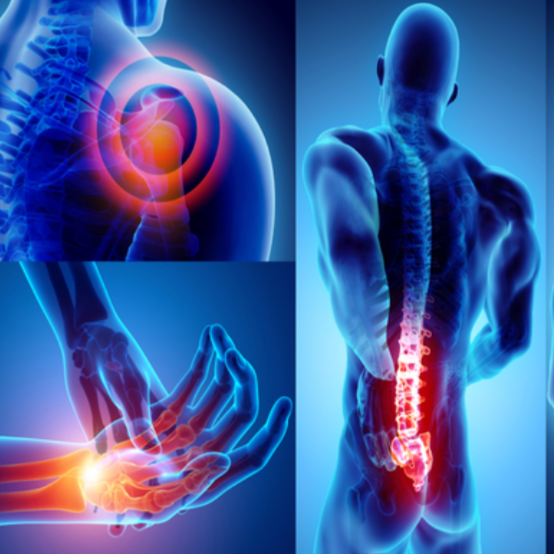
Musculoskeletal disorders
€96.53
Tax included
This e-learning training teaches you how to effectively prevent musculoskeletal disorders (MSDs) related to physical activity, manual handling and screen work. In 70 minutes, you understand the origin of pain, identify the main risks, discover good ergonomic practices, adjust your workstation and adopt the gestures and postures that protect your health on a daily basis.
👉 Target audience: employees, office staff, field teams, PRAP trainers, prevention managers
👉 Duration : 70 minutes
👉 Objective: prevent MSDs and adopt the right gestures at the workstation
👉 Intended for: anyone exposed to risks related to physical activity or screen work
Description
💪 Understanding musculoskeletal disorders (MSDs)
This training explains in a simple way the mechanisms behind musculoskeletal disorders: pathologies, the most affected areas of the body and aggravating factors. Using concrete examples from screen work and physical activity, the learner quickly identifies the risks present in their daily professional life.
📌 What you will learn:
| Topic | Content |
|---|---|
| The human body and its limits | Anatomy, muscles, joints, common pathologies (back, shoulders, wrists) |
| Origin of MSDs | Biomechanical factors, prolonged postures, repetitive movements, manual handling |
| Health consequences | Pain, inflammation, muscle fatigue, loss of mobility |
📦 Preventing MSDs related to physical activity
This section develops the essential best practices to protect your body during manual handling, lifting loads or repetitive movements. It helps you adopt safe gestures and understand how to avoid constraining positions.
📌 Detailed content:
| Topic | Details |
|---|---|
| Handling principles | Natural positions, back support, management of the center of gravity, lifting techniques |
| Risk factors | Heavy loads, twisting, sudden efforts, repetitiveness, lack of warm-up |
| Protective gestures | Grasp correctly, get close to the load, bend the knees, distribute the weight |
💻 Preventing MSDs related to screen work
This chapter teaches you how to properly set up your workstation, reduce visual fatigue and adopt a comfortable posture throughout the day. You will discover the essential adjustments to improve your comfort and limit pain related to repetitive or static work.
| Workstation element | Best practices |
|---|---|
| Screen | Eye level height, arm’s length distance, appropriate brightness |
| Chair | Backrest adjustment, seat, armrests, lumbar support |
| Keyboard / mouse | Alignment, proximity, smooth movements to reduce strain |
🔥 Warm-ups and daily best practices
Simple exercises help prepare the body, reduce muscle tension and limit the onset of pain. The training offers quick movements to integrate before starting work or after a long period in a static position.
- Gentle mobilization of the shoulders and neck
- Targeted stretches (wrists, arms, lower back)
- Regular active breaks
- Breathing to release tense areas
❓ Frequently asked questions
You immediately receive an email containing all the necessary information to access your training space. You can start learning without delay.
You benefit from access for 12 months, allowing you to follow the modules at your own pace.
A certificate of completion is issued once the course is completed.
Yes, the training is accessible on computer, tablet and smartphone, via all recent browsers.
Product Details
FL-TMS-00-NT-NM-B
Specific References
Reviews
No customer reviews for the moment.